


 Google TV
 Android TV




 Apple TV


TVkip
- 9 TV platforms; model restrictions apply.
- Casting; Pro adds mirroring, HomeKit scenes and Kids Mode.
- Full remote free for 2 TVs. Optional yearly or lifetime Pro.
Skip. Skip. Keep.
Control your TVs from your phone.
Free to download. No account needed.
Works with selected TVs and devices from
The remote every phone needs.
Free for 2 TVs. Optional Pro.
Built natively for iPhone, iPad, Mac and Apple Watch, with the same remote on every one.
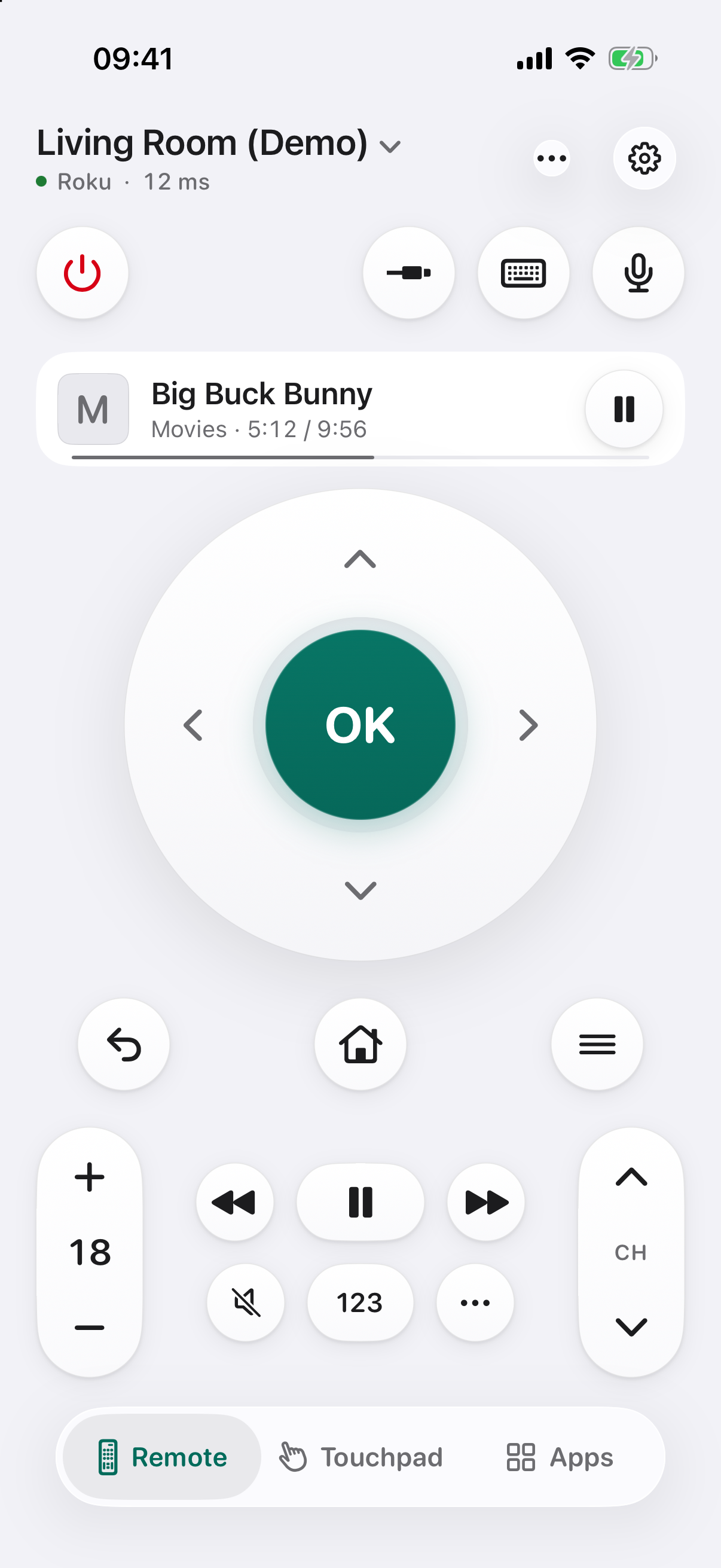
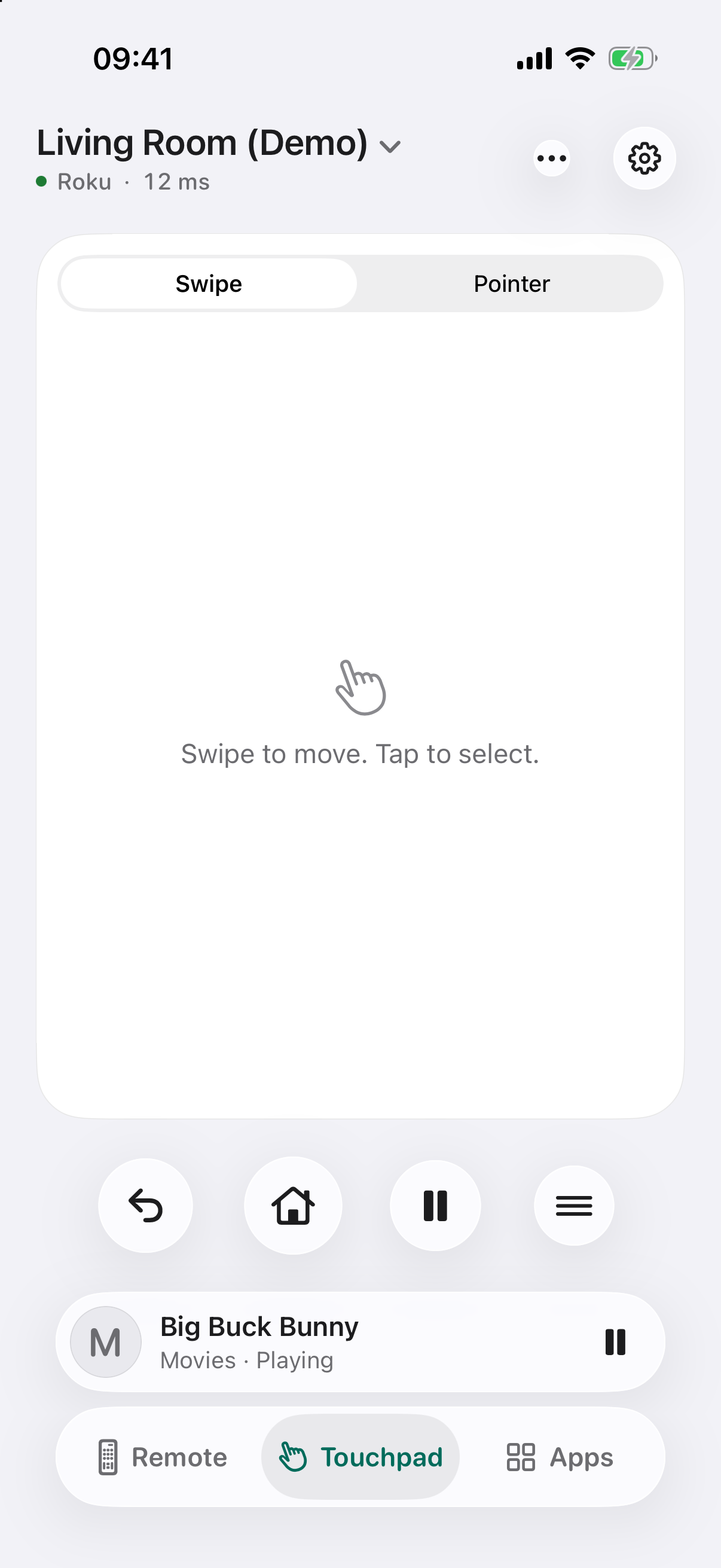
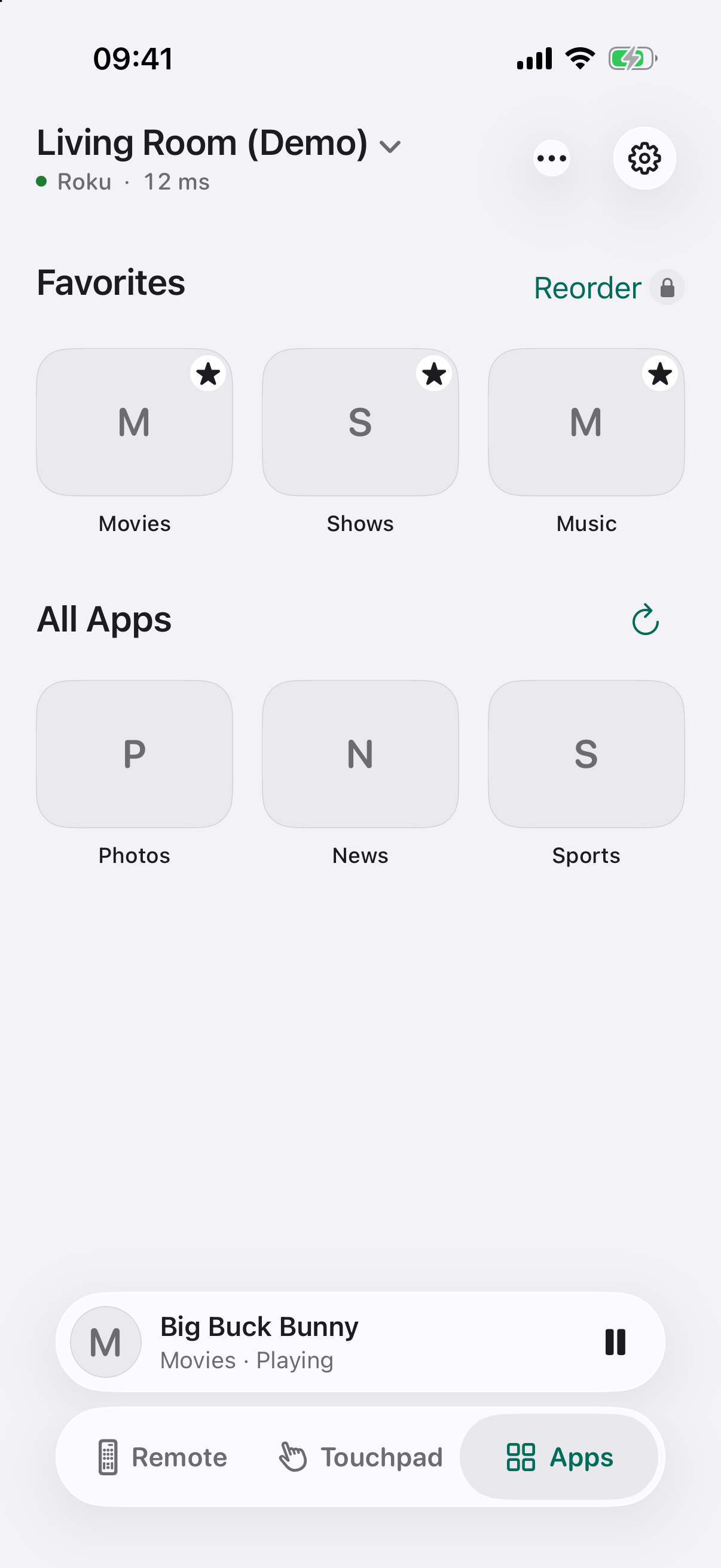
Power, D-pad, volume, channels, number pad, inputs, playback, touchpad, keyboard and app launcher. Your iPhone's volume buttons work too. Free for 2 TVs. No ads, ever.
Control Center, the Action button, the Live Activity and Dynamic Island, and the Volume widget on your Home Screen and Lock Screen. All free. More widgets and StandBy with Pro.
A free Apple Watch remote for the TV you're using: D-pad, OK, back, home, play/pause, power and Digital Crown volume. Pro adds every TV, apps and complications.
Send photos and videos to the TV, free up to 10 a day. With Pro: music, web videos, no limit, and your iPhone screen on the TV.
Scenes dim your HomeKit lights, turn the TV on, set the input and volume and open an app (Pro).
Kids Mode limits apps and daily TV time and turns the TV off at bedtime, protected by a parent PIN. A free sleep timer turns the TV off after 15 to 90 minutes.
Big, clearly labeled buttons for parents and grandparents: Power, Input, the arrows, Back, Home, volume, channels, Play/Pause, Mute, Keyboard and More. Free, and it works with every brand.
Type on your phone. When Netflix or YouTube ignore phone keyboards on LG and Samsung TVs, we type through the on-screen keyboard for you.
No TVkip account, no ads, no tracking. Your photos, videos and screen go straight from your iPhone to your TV.
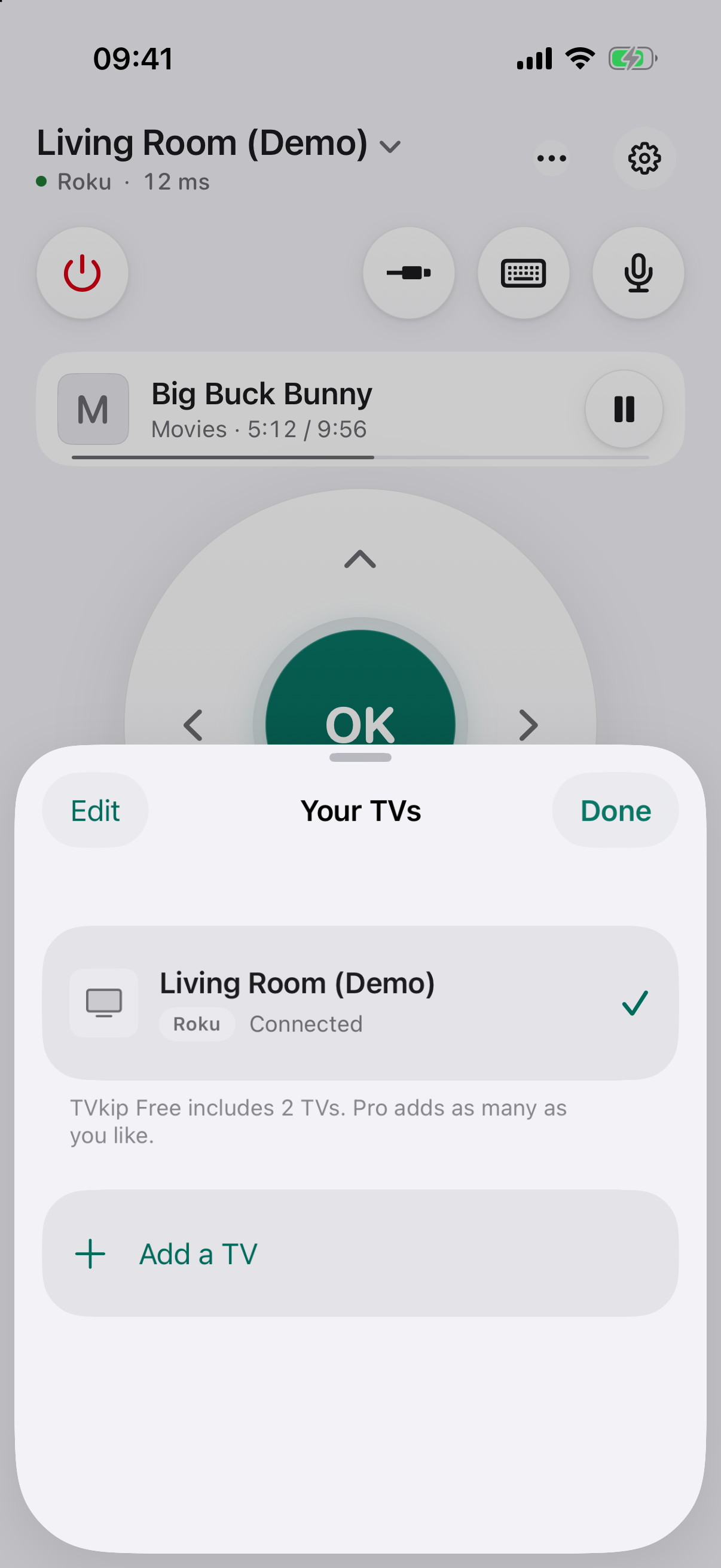
The living room, the bedroom, the kids' room: every TV is in one list, whatever the brand. Tap a name and you're in control.
Every TV you add also works on your Apple Watch, in Control Center, on the Lock Screen and with Siri. One app, nothing to set up twice.
Nine TV platforms in one app. Here is what each one allows, and what it needs once.
iPhone and iPad with iOS 18 or iPadOS 18 or later, Mac with Apple silicon, Apple Watch with watchOS 11 or later.
Android 9 or later (64-bit). Optional Wear OS 3 or later watch paired with your Android phone. Android and Wear OS are currently in internal testing; public downloads and Android Pro purchases are not yet available.
| TV | Setup | Keyboard | Turn on from app | Casting |
|---|---|---|---|---|
| Roku players and Roku TVs | Set Control by mobile apps to Enabled, once | Yes | Roku TVs with Fast TV start | Roku players and TVs |
| Google TV / Android TV | Type a code once | Yes | Most models | Google Cast |
| Samsung (2016 and later) | Press Allow once on the TV | Yes, except in some apps‡ | With Power On with Mobile | Most models (DLNA) |
| LG webOS | Press Accept once on the TV | Yes, except in some apps‡ | With Mobile TV On | Most models (DLNA) |
| Sony BRAVIA | Turn on IP control, type a PIN or key once | Yes | With Remote start | Most models (DLNA, Google Cast) |
| Vizio SmartCast | Type a PIN once | Yes | In Quick Start power mode | Google Cast models |
| Hisense / Toshiba VIDAA† | Type a code once (newer models) | Not yet | With Wake on LAN | Most models (DLNA) |
| Amazon Fire TV (Fire OS) | Turn on ADB debugging, allow once | Yes | Yes | Via a DLNA player app |
| Apple TV | Type a PIN once | Yes | Wakes it from sleep (the TV too, with HDMI-CEC) | AirPlay from your iPhone |
‡ Netflix and YouTube ignore phone keyboards on many LG and Samsung TVs. TVkip types through the on-screen keyboard instead.
† Hisense VIDAA TVs from 2024 on allow only Hisense's own app over Wi-Fi. TVkip connects to them in basic mode: turning on, casting and, where the TV allows it, volume.
Samsung TVs from 2014 and 2015 and Fire TV devices with Vega OS can't be controlled over Wi-Fi by TVkip. Roku, Sony BRAVIA and Fire TV need one setting turned on first, and turning a TV on from the app needs the TV's wake setting. The app shows you where.
Different apps have different strengths. Here is how three options compare.
Selected features from developer listings. Availability varies by device and region. TVkip is not yet released; some features require Pro. Sources checked: App Store, Roku. .
Core controls are free. Pro adds screen mirroring, unlimited casting, scenes and Kids Mode, with yearly or lifetime options.
US$0
US$14.99 / year
14-day free trial. Renews yearly unless you cancel at least 24 hours before the end of the period.
US$29.99 once
Launch offer: US$19.99 for the first 60 days.
Yes. The full remote for up to 2 TVs is free with no ads and no time limit, and so are Control Center, the Live Activity, the Lock Screen volume widget, a basic Apple Watch remote, basic Siri, the sleep timer and 10 casts a day. Pro is optional and adds a third TV and more, screen mirroring, unlimited casting, scenes, Kids Mode and the full Watch app.
Read more: Pro, billing, cancelling and refunds
No. TVkip has no account, sign-up or password. Install it, open it and pick your TV on your Wi-Fi. If you buy Pro, you pay in the App Store with the Apple Account already on your iPhone, like any app, and Family Sharing works. Syncing your TVs between your devices (Pro) uses your own iCloud.
Read more: Getting started
For everyday use, no. TVkip covers Samsung, LG, Roku, Google TV / Android TV, Sony BRAVIA, Vizio, Hisense VIDAA, Fire TV and Apple TV in one app. A few things only the TV maker's own app can do, such as first-time TV setup or firmware settings. Hisense VIDAA TVs from 2024 on work in basic mode.
Read more: Getting started
Yes. TVkip controls Apple TV HD and Apple TV 4K over your Wi-Fi: pick it in the app and type the PIN the TV shows, once. The volume buttons work when the Apple TV controls your TV's volume; mute, number keys and inputs aren't available. To show your iPhone's screen on an Apple TV, use AirPlay.
Read more: Connecting an Apple TV
It works with Samsung, LG, Roku, Google TV / Android TV, Sony BRAVIA, Vizio, Hisense VIDAA, Fire TV and Apple TV devices that connect to your Wi-Fi. iPhones don't have infrared, so TVs that aren't connected to the network can't be controlled by any iPhone app.
Read more: Getting started
Yes. The app talks to your TV directly over your home network. Guest networks and VPNs can get in the way; see My TV doesn't show up.
On many LG and Samsung TVs, Netflix and YouTube ignore text from phones (official apps too). Tap "Use the TV's Keyboard" and we'll select each letter for you.
Read more: Keyboard doesn't type in Netflix or YouTube
Yes, with Pro: your iPhone screen appears on the TV over your Wi-Fi, a few seconds behind. But no app can mirror Netflix, Disney+ and other paid streaming apps: their copy protection shows a black screen. Open the app on the TV instead; TVkip launches it in one tap. See Mirroring your iPhone screen.
Cancel in iPhone Settings > [your name] > Subscriptions. Refunds are handled by Apple at reportaproblem.apple.com.
Read more: Pro, billing, cancelling and refunds
Yes, at no extra cost. Pro Yearly and Pro Lifetime can be shared with up to five family members.
Read more: Pro, billing, cancelling and refunds
No account or ads. Diagnostics use rotating identifiers and can be turned off. Service requests and support emails can involve personal data. Read the privacy policy.
No. TVkip is an independent app and isn't affiliated with or endorsed by any TV brand.